

Connect your ideas.
ZettelApp is a Zettelkasten for Windows and Linux. Write small notes, link them with meaning, and let it suggest the connections you missed. Explore your knowledge as a 2D or 3D graph, and turn it into flashcards.
Free and open source · Windows 10 & 11 and Linux, 64-bit · All releases & checksums
New to Zettelkasten?
Learn the method in five minutes, then try it hands-on.
-
The method
What is a Zettelkasten?
Where the slip box comes from, its principles (atomic notes, linking with a reason, structure that emerges), the three kinds of notes, and common pitfalls.
-
Hands-on
Start the tutorial
Your first 30 minutes: write and link notes, typed links, suggestions, mind maps, flashcards, and the 2D and 3D graph.
Everything a Zettelkasten needs
One idea per note, connected by links that say how ideas relate. ZettelApp keeps the method and removes the friction.
-
Atomic notes
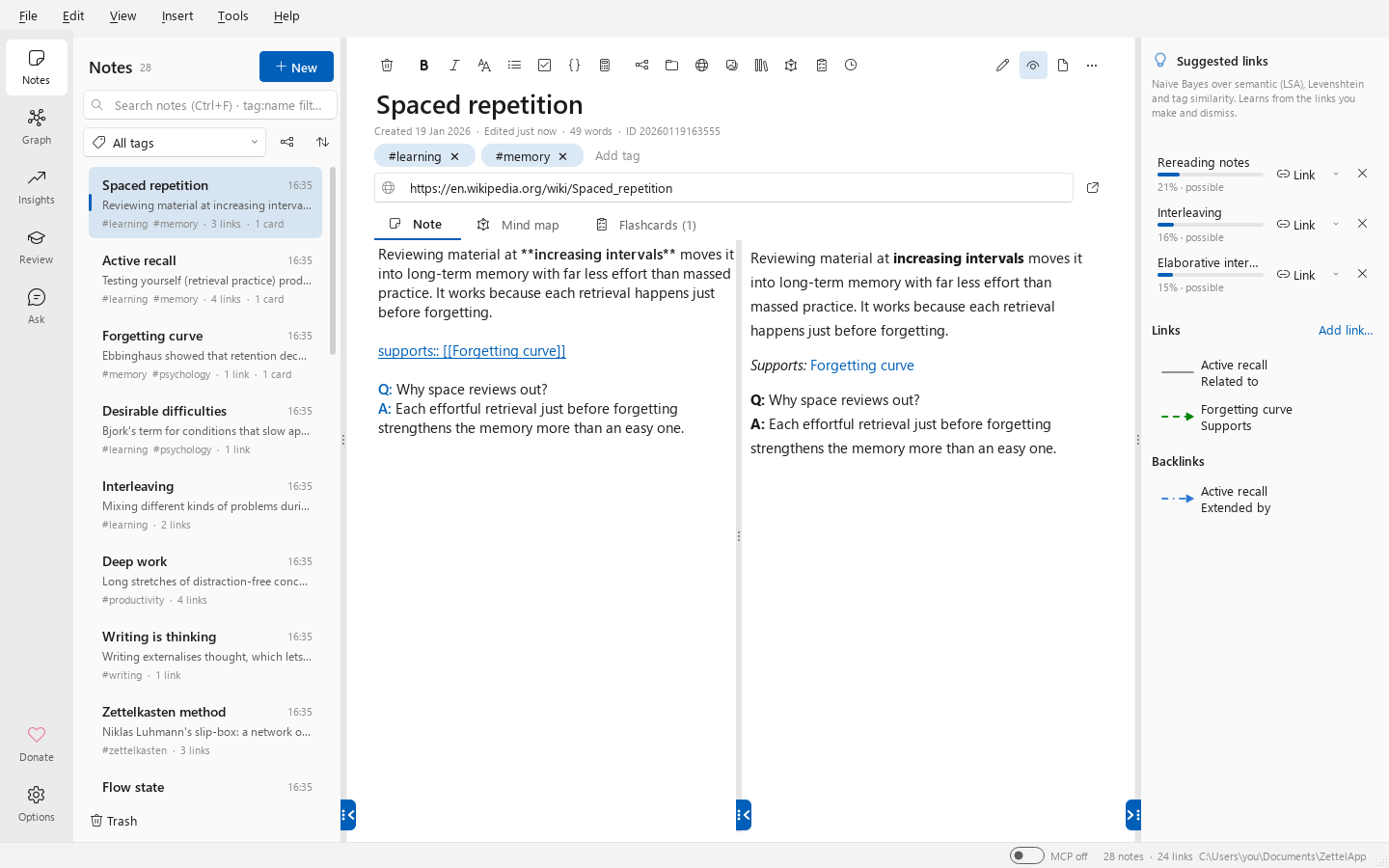
Markdown notes with automatic timestamp IDs, tags (in the tag box or as #tags in the text), a source link, images you can paste or drop, links to files on your PC, and autosave.
-
Typed, directed links
Write
supports:: [[Claim]]. Contradicts, extends, example of, part of, cites, or your own types. Backlinks read naturally: Supported by. -
Suggestions that learn
A Naive Bayes model weighs semantic, keyword and string similarity, shared tags and shared links, and learns from every suggestion you accept or dismiss.
-
Graph in 2D and 3D
Colour notes by tag or by k-means and hierarchical clusters of meaning, and pull groups together on shaded backgrounds.
-
Mind maps
Sketch a note's ideas as a mind map with the keyboard, link ideas to notes, and export as PNG, SVG or FreeMind.
-
Review and quizzes
Flashcards from
Q:/A:and{{c1::cloze}}text, SM-2 spaced repetition, multiple choice, typed answers and Name that note.
Link suggestions
See the connections you missed
While you write, ZettelApp compares the note with the rest of your vault on eight measures:
- meaning (latent semantic analysis);
- shared keywords (TF-IDF);
- Levenshtein and Jaro-Winkler similarity of titles and text;
- shared tags, shared links, and titles mentioned in the text.
A Naive Bayes classifier turns that evidence into a probability, and explains each suggestion.
Link a suggestion with one click and choose the link type, or dismiss it. Either way, the model learns how you connect ideas.
Graph
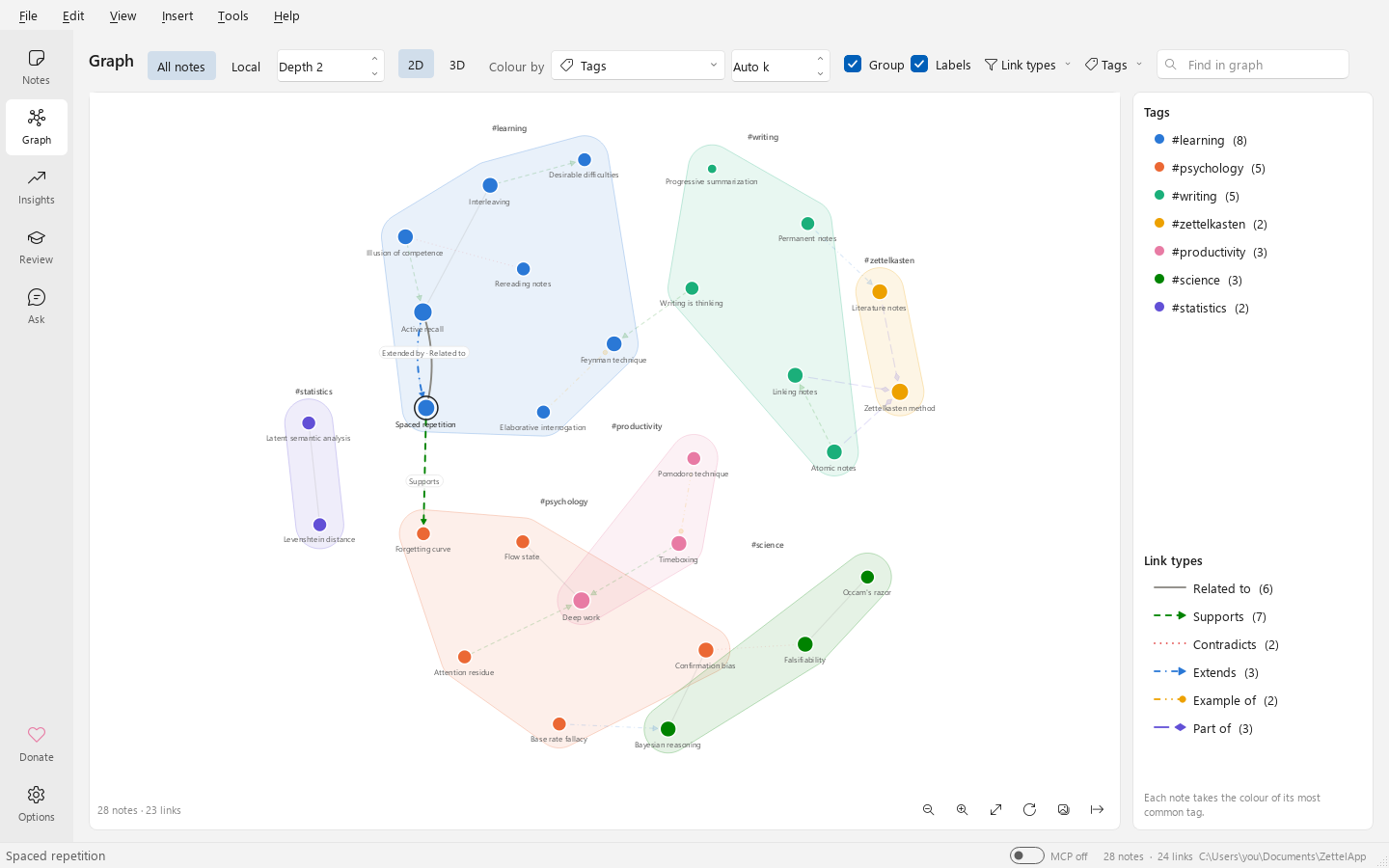
Your knowledge, in 2D and 3D
Explore the whole collection or the neighbourhood of a single note. Colour notes by tag, or let clustering find your topics:
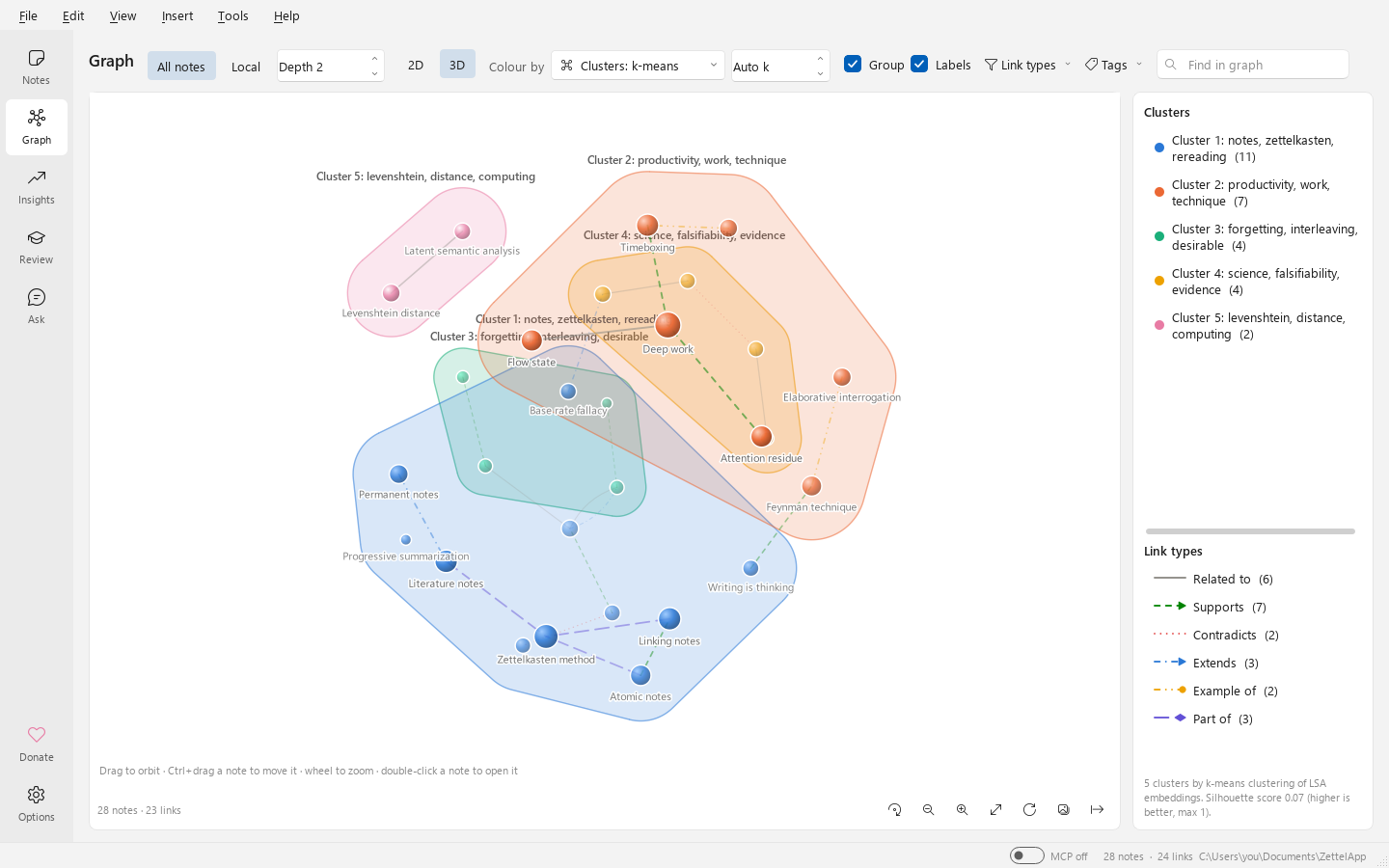
- k-means or hierarchical clustering of note meanings;
- the number of clusters chosen by silhouette score;
- clusters named by their keywords.
Turn on Group to pull related notes together on shaded backgrounds. Colours are chosen to stay distinguishable with colour-vision deficiencies.
Mind maps
Think in branches
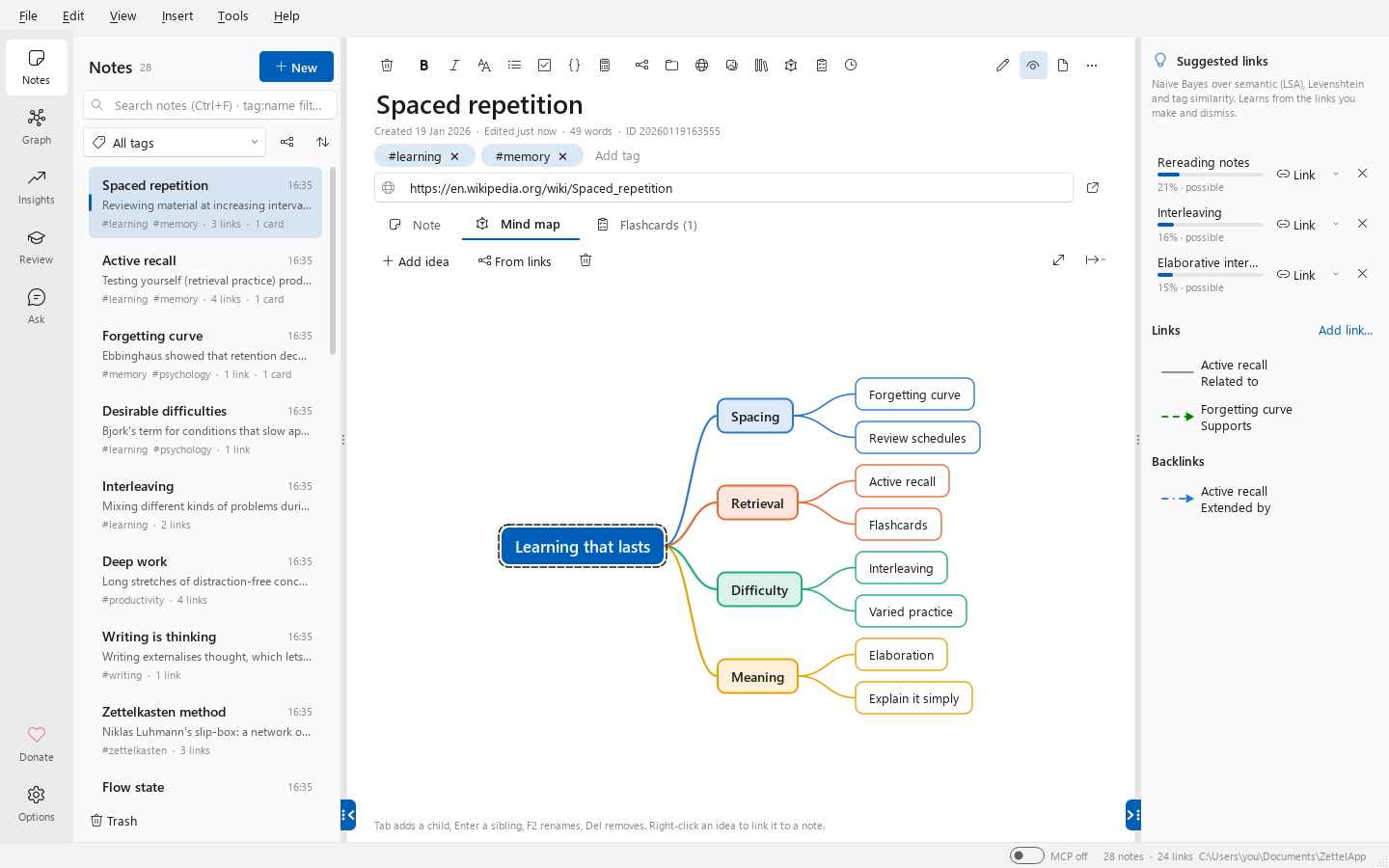
Every note can hold a mind map:
- Tab adds a child, Enter a sibling, F2 renames;
- link any idea to a note;
- build a map from a note's links in one click;
- export as PNG, SVG or FreeMind.
Review
Remember what you write
Turn notes into flashcards and review them with SM-2 spaced repetition. You can also quiz yourself:
- multiple choice;
- typed answers, forgiving typos;
- Name that note, where the wrong options are the most similar notes.
Prefer Anki? Sync through AnkiConnect or export a deck. Every card links back to its note.
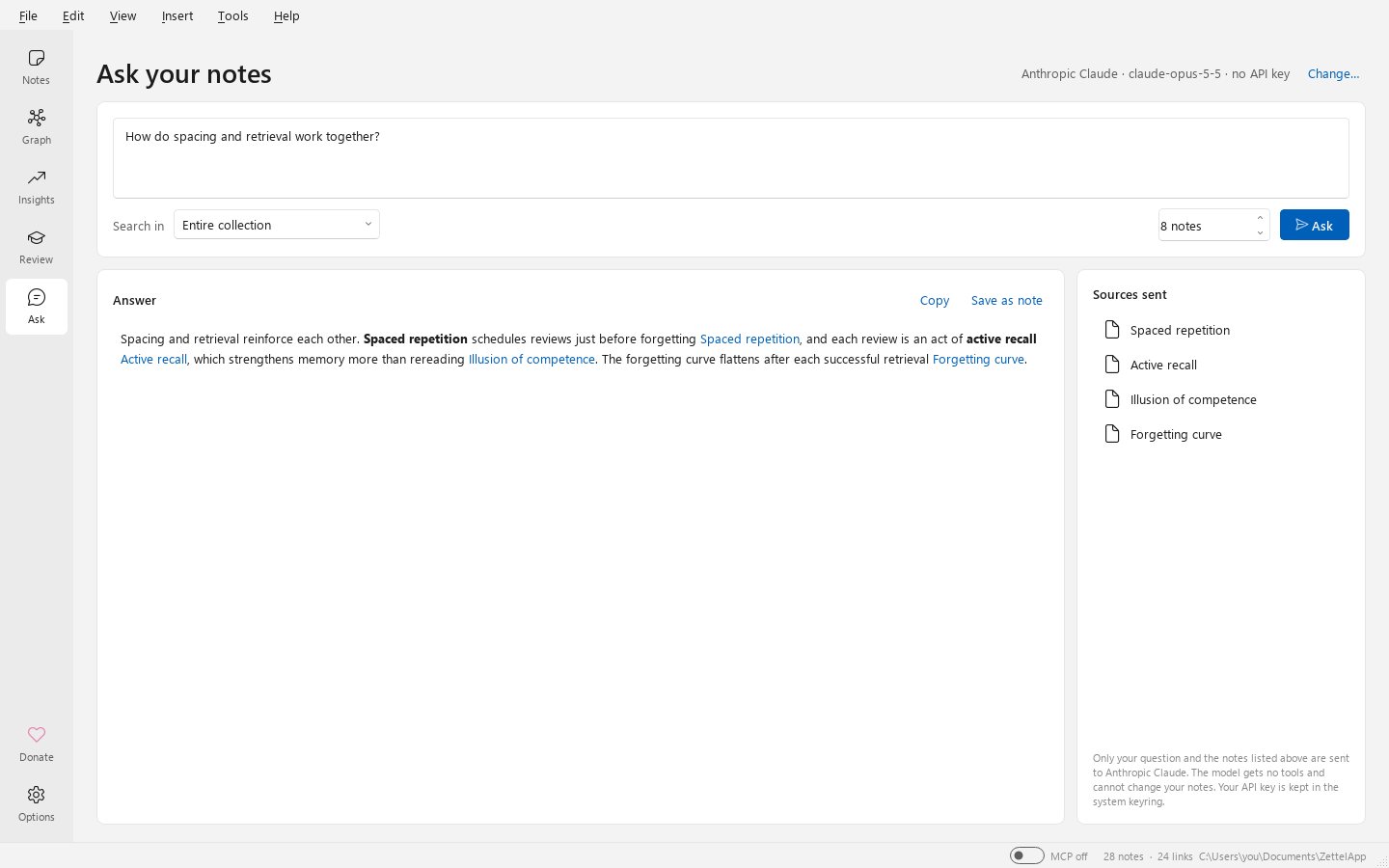
Ask your notes
Answers grounded in your own notes
Connect your own key for Anthropic Claude, OpenAI or Z.ai and ask questions.
- The most relevant notes are found on your computer.
- Only those notes are sent, and you see exactly which.
- Answers cite them with clickable links.
- Keys stay in Windows Credential Manager.
Works with your tools
-
Zotero
Search your library, insert citations that open the item, and start literature notes with links to the PDF.
Zotero -
Anki
Sync flashcards through AnkiConnect or export
Anki.apkgdecks. Re-syncing updates cards instead of duplicating them. -
MCP server
Let Claude Desktop, Claude Code and other MCP clients search and read your vault, only while ZettelApp is open and its MCP switch is on. It is read-only unless you allow changes.
MCP server -
Obsidian and Markdown
Import Markdown folders and Obsidian vaults, or export notes as Markdown files with front matter and
Import[[links]]. -
Export anything
Export the whole collection or any subgraph as an archive, a static website, JSON, GraphML, Graphviz or an Anki deck.
Export -
At home on Windows
Follows your light or dark theme and accent colour. Standard menus and shortcuts, a per-user installer and daily backups.
Getting started
Private and safe by design
Your notes are yours. ZettelApp works offline. Apart from a quiet check for a new version when it starts, which you can turn off, it only uses the network when you ask it to.
Offline first
No account, no telemetry, no tracking. Notes live in a folder you choose.
No active content
Notes can't run scripts or load anything from the web. Imports are checked for path tricks and decompression bombs.
Keys stay secret
API keys live in Windows Credential Manager and are never written to files or logs.
Safety nets
Autosave, a Trash with restore, and a daily backup of every vault you open.
Download ZettelApp
Free and open source, released into the public domain.

Linux:sudo snap install zettelapp (Snap Store)flatpak install --user ./ZettelApp-Linux-x86_64.flatpak (.flatpak)sudo apt install ./ZettelApp-Linux-amd64.deb (.deb)
- System
- Windows 10 (21H2 or later), Windows 11, or a 64-bit Linux (X11 or Wayland)
- Install
- Per-user, no administrator rights needed. Choose the installer's language at the start.
- SmartScreen
- Builds aren't code-signed yet. If Windows warns you, choose More info ▸ Run anyway after checking the checksum.
- Source
- github.com/DutraIRS/ZettelApp
Coming next
More languages
The app and these pages are available in 11 languages; more are welcome.
Signed builds
No more SmartScreen warnings.
Offline AI
Local embedding models for even better suggestions.
Support ZettelApp
ZettelApp is free, public-domain software built in the open. If it saves you time, or you want to see the roadmap happen sooner, please consider sponsoring it.
Companies: sponsorship can fund a specific roadmap item. Get in touch through GitHub. Sponsors are thanked in the release notes.